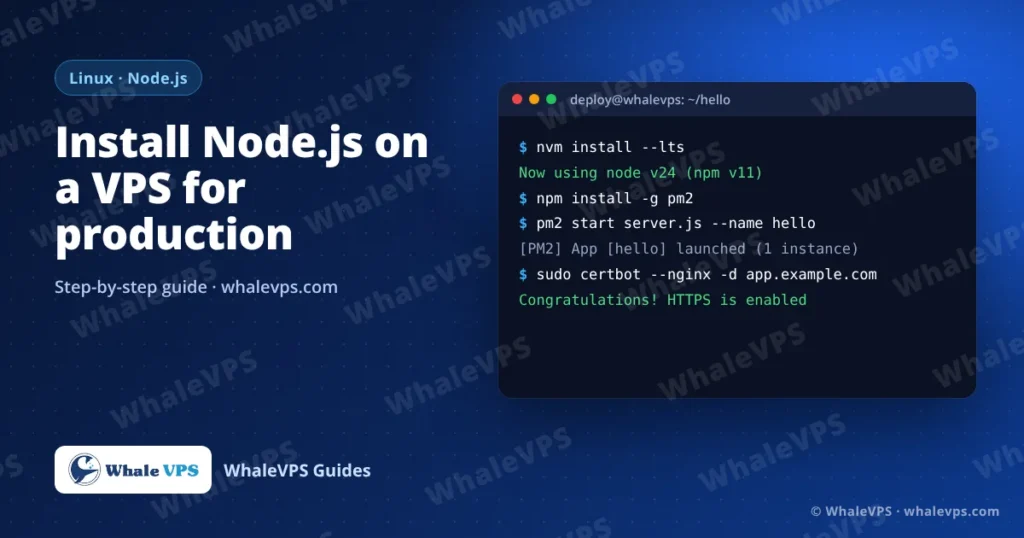
To install Node.js on a VPS, connect over SSH and either use nvm (curl -o- https://raw.githubusercontent.com/nvm-sh/nvm/v0.40.3/install.sh | bash, then nvm install --lts) or the NodeSource repository (curl -fsSL https://deb.nodesource.com/setup_lts.x | sudo -E bash - then sudo apt install -y nodejs). Check the result with node -v and npm -v.
Both methods give you the current Long Term Support release, which is what you want on a server. Avoid the nodejs package from Ubuntu’s own repository: it is usually several major versions behind.
Which method should I choose?
| nvm | NodeSource | |
|---|---|---|
| Installed for | One user | The whole system |
| Switch versions | nvm use 22, instantly | Reinstall the package |
| Updates | nvm install --lts | apt upgrade |
| Good for | Development, several apps with different versions | One production app, system services |
If you’re not sure, use nvm. It needs no root access for daily use, and you can run two Node versions side by side.
Method 1: Install with nvm
Log in as the user that will run the app (not root). If you need a refresher on logging in, see how to connect to a Linux VPS with SSH.
curl -o- https://raw.githubusercontent.com/nvm-sh/nvm/v0.40.3/install.sh | bash
source ~/.bashrc
nvm install --lts
nvm alias default 'lts/*'
Check the versions:
node -v
npm -v
Method 2: Install with NodeSource
curl -fsSL https://deb.nodesource.com/setup_lts.x | sudo -E bash -
sudo apt install -y nodejs
node -v
If you need a specific major version, replace setup_lts.x with, for example, setup_22.x.
Run a test app
mkdir ~/hello && cd ~/hello
npm init -y
nano server.js
const http = require('http');
http.createServer((req, res) => {
res.writeHead(200, { 'Content-Type': 'text/plain' });
res.end('Hello from WhaleVPS\n');
}).listen(3000, '127.0.0.1');
console.log('Listening on http://127.0.0.1:3000');node server.jsIn a second SSH window, run curl http://127.0.0.1:3000. You should see the greeting. Press Ctrl + C in the first window to stop it.
Notice the app listens on 127.0.0.1, not 0.0.0.0. It is only reachable from the server itself; Nginx will expose it to the world in a moment.
Keep the app running with PM2
If you start an app with node server.js and close SSH, the app dies. PM2 keeps it running, restarts it after a crash, and starts it again after a reboot.
npm install -g pm2
pm2 start server.js --name hello
pm2 save
pm2 startup
pm2 startup prints one more command that begins with sudo env PATH=.... Copy it and run it; that registers PM2 with systemd.
| Command | What it does |
|---|---|
pm2 ls | Show running apps |
pm2 logs hello | Live logs |
pm2 restart hello | Restart after a code change |
pm2 monit | CPU and memory per app |
Put Nginx in front and add HTTPS
Point your domain’s A record to the VPS IP, then:
sudo apt install -y nginx
sudo nano /etc/nginx/sites-available/hello
server {
listen 80;
server_name app.example.com;
location / {
proxy_pass http://127.0.0.1:3000;
proxy_http_version 1.1;
proxy_set_header Upgrade $http_upgrade;
proxy_set_header Connection "upgrade";
proxy_set_header Host $host;
proxy_set_header X-Forwarded-For $proxy_add_x_forwarded_for;
proxy_set_header X-Forwarded-Proto $scheme;
}
}sudo ln -s /etc/nginx/sites-available/hello /etc/nginx/sites-enabled/
sudo nginx -t && sudo systemctl reload nginxNow issue a free certificate:
sudo apt install -y certbot python3-certbot-nginx
sudo certbot --nginx -d app.example.com
Certbot edits the Nginx file for HTTPS and renews the certificate automatically.
Open only the ports you need
sudo ufw allow OpenSSH
sudo ufw allow 'Nginx Full'
sudo ufw enable
Port 3000 stays closed to the outside because the app listens on localhost only.
Frequently asked questions
How much RAM does a Node.js app need?
A small API or website runs comfortably on 1 to 2 GB. Builds with frameworks like Next.js can use more memory than the running app, so 4 GB avoids “JavaScript heap out of memory” during npm run build.
Should I run Node.js as root?
No. Run apps as a normal user. If a dependency is ever compromised, it then can’t change system files.
How do I update Node.js later?
With nvm: nvm install --lts --reinstall-packages-from=current. With NodeSource: sudo apt update && sudo apt upgrade. Restart your app with pm2 restart all afterwards.
Can I run Node.js in Docker instead?
Yes, and it’s a good choice when you deploy several apps. See how to install Docker on an Ubuntu VPS.
Which location should I host my Node.js app in?
The one closest to most of your users. A Canada VPS or USA VPS suits North American traffic, a Malaysia VPS or Indonesia VPS suits Southeast Asia, and a Germany VPS suits most of Europe.