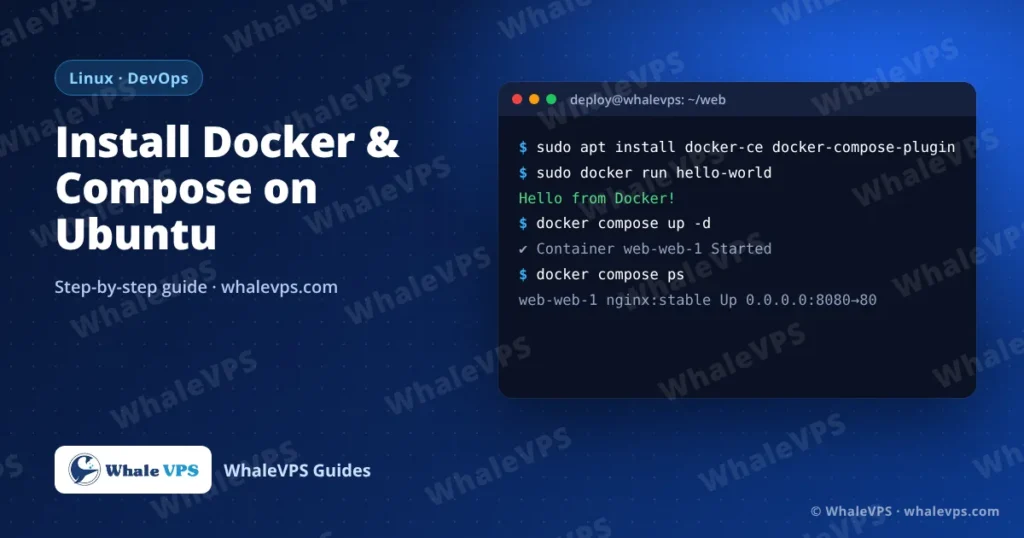
To install Docker on an Ubuntu VPS, add Docker’s official APT repository, then run sudo apt install docker-ce docker-ce-cli containerd.io docker-buildx-plugin docker-compose-plugin. Check it with sudo docker run hello-world. The whole process takes about five minutes and also installs Docker Compose as docker compose.
The Ubuntu package called docker.io works too, but it often lags behind. Docker’s own repository gives you current releases and the Compose plugin.
Before you start
- A VPS running Ubuntu 22.04 or 24.04 LTS (Debian 12 works with the small change shown below)
- Root or a user with
sudo - At least 1 GB of RAM for testing; 2 to 4 GB if you plan to run a database plus an application
Connect over SSH first. Our guide on connecting to a Linux VPS with SSH covers every operating system.
Step 1: Remove old or conflicting packages
for pkg in docker.io docker-doc docker-compose podman-docker containerd runc; do sudo apt remove -y $pkg; doneOn a fresh server most of these aren’t installed, and apt just says so.
Step 2: Add Docker’s repository
sudo apt update
sudo apt install -y ca-certificates curl
sudo install -m 0755 -d /etc/apt/keyrings
sudo curl -fsSL https://download.docker.com/linux/ubuntu/gpg -o /etc/apt/keyrings/docker.asc
sudo chmod a+r /etc/apt/keyrings/docker.asc

echo "deb [arch=$(dpkg --print-architecture) signed-by=/etc/apt/keyrings/docker.asc] https://download.docker.com/linux/ubuntu $(. /etc/os-release && echo "$VERSION_CODENAME") stable" | \
  sudo tee /etc/apt/sources.list.d/docker.list > /dev/null
On Debian, replace both linux/ubuntu with linux/debian.
Step 3: Install Docker Engine and Compose
sudo apt update
sudo apt install -y docker-ce docker-ce-cli containerd.io docker-buildx-plugin docker-compose-plugin
Docker starts automatically and is enabled at boot. Confirm:
sudo systemctl status docker --no-pager
docker --version
docker compose version
Step 4: Test it
sudo docker run hello-worldYou should see “Hello from Docker!”. Docker downloaded a tiny image, started a container, printed the message and exited.
Step 5 (optional): Run Docker without sudo
sudo usermod -aG docker $USERLog out and back in for the group change to apply. Keep in mind that membership in the docker group is effectively root access, so only add accounts you trust.
Your first Compose stack
Compose describes several containers in one file. This example runs an Nginx web server on port 8080:
mkdir ~/web && cd ~/web
nano compose.yaml
services:
web:
image: nginx:stable
ports:
- "8080:80"
volumes:
- ./html:/usr/share/nginx/html:ro
restart: unless-stoppedmkdir html && echo "<h1>Running on WhaleVPS</h1>" > html/index.html
docker compose up -dOpen http://YOUR_SERVER_IP:8080 and you’ll see the page. Useful commands from here:
| Command | What it does |
|---|---|
docker compose ps | List containers in this project |
docker compose logs -f | Follow the logs |
docker compose pull && docker compose up -d | Update images and restart |
docker compose down | Stop and remove the containers |
Watch out: Docker ports skip UFW
This catches a lot of people. When you publish a port with -p 8080:80 or in a Compose file, Docker writes its own iptables rules, and UFW does not block that port, even if ufw status says it should.
Two safe patterns:
- Publish internal services only on localhost, for example a database:
"127.0.0.1:5432:5432". Then only processes on the server can reach it. - Put a reverse proxy (Nginx, Caddy or Traefik) in front, and publish only ports 80 and 443.
Housekeeping
Images and stopped containers pile up over time and fill the disk:
docker system df          # see what uses space
docker system prune -a    # remove unused images, containers and networks
Run prune with care on production servers: it deletes every image that no running container uses.
Frequently asked questions
How much RAM does Docker need on a VPS?
Docker itself uses very little. Size the server for what you run inside it. A small web app with a database is comfortable on 2 to 4 GB; several services with Elasticsearch or similar need 8 GB or more.
Can I install Docker on AlmaLinux or Rocky Linux?
Yes, from Docker’s RHEL repository: sudo dnf -y install dnf-plugins-core, then sudo dnf config-manager --add-repo https://download.docker.com/linux/rhel/docker-ce.repo, then install the same five packages with dnf and run sudo systemctl enable --now docker.
Docker or Node.js directly on the server?
Both work. Docker keeps versions isolated and makes moving to another server easy; a native install is simpler for a single app. Compare with our guide to installing Node.js on a VPS.
Which location is best for a Docker host?
Pick the region nearest your users and your other services. Many European projects run in the Netherlands or Germany, while Asian audiences are served well from Japan or Hong Kong.